

Smartphone battery loss may be a bothersome problem, sometimes leaving you racing for a charger. Many users suffer from quick battery loss, particularly on busy days. While some may believe that this is simply a result of using a smartphone, it is frequently a symptom of underlying issues that may be readily addressed. Understanding why your battery drains too rapidly and how to fix it might help improve your phone’s performance and battery life. In this tutorial, we’ll look at the reasons for battery loss and offer concrete solutions to help you keep your smartphone operating longer throughout the day.
Why Is Your Smartphone Battery Draining So Fast?
There are various reasons why your smartphone battery may be depleting too rapidly. One of the most prevalent causes is excessive screen brightness, which wastes a lot of power. Background apps and services, such as GPS or auto-sync functionality, can potentially deplete the battery if left unattended. Outdated software or programs may not be optimized for power efficiency, resulting in excessive power use. Furthermore, using your phone for resource-intensive applications such as gaming or video streaming will quickly drain the battery. Finally, older batteries tend to lose capacity over time, making them less effective at maintaining a charge. Identifying these elements might help you determine why your battery drains so quickly.
How Can You Fix Fast Battery Drain on Your Phone?
Adjust Settings That Drain Battery
Unchecked settings on a lot of devices might cause the battery to drain quickly. Start by lowering the brightness of your screen or turning on adaptive brightness, which changes its brightness according to the light conditions. Because Bluetooth, Wi-Fi, and location services can drain power even when they are not in use, turn them off when not in use. Additionally, you may reduce the strain on your phone’s processing by turning off pointless animations and alerts. Examine your applications and disable auto-sync for social media, emails, and other programs that update continuously in the background. Battery life may be significantly increased by making these easy changes.
Update Software and Apps Regularly
Bug fixes and speed enhancements are frequently included in software and app updates, which can assist in maximizing battery life. Older applications or system software may be inefficient and use more power than is necessary. Make sure the operating system on your smartphone is always up to date because newer versions frequently include better power-saving capabilities. In addition, keep your programs updated, since developers routinely provide updates that solve power-draining problems or boost their efficiency. By keeping your device operating properly, regular updates can extend the life of your battery without consuming more power.
Use Built-In Battery Saver Features
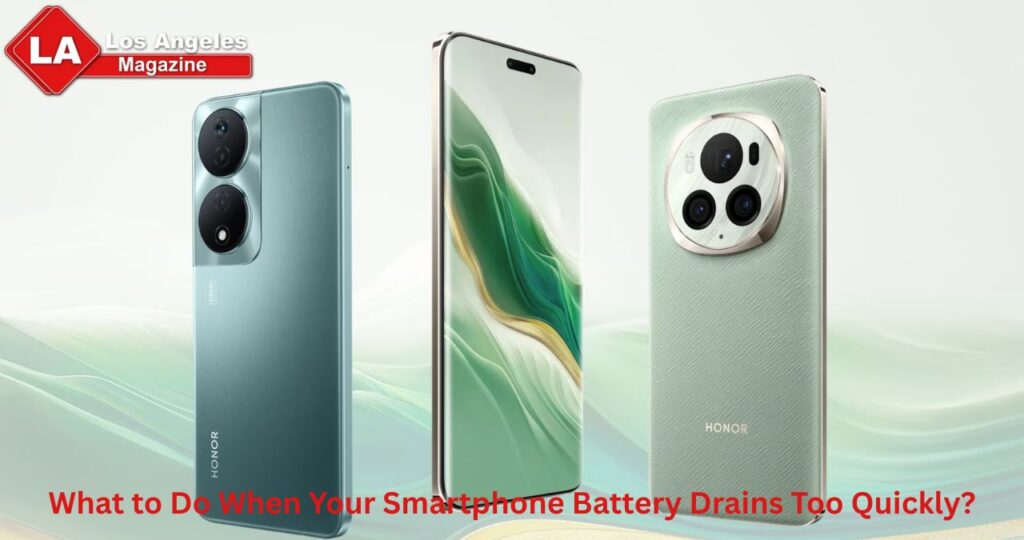
Most current smartphones, like the HONOR Magic 8 Pro, have built-in battery-saving technologies that may drastically cut power usage. These features, such as “Battery Saver” or “Power Saving Mode,” are intended to save battery life by limiting background activities, lowering screen brightness, and disabling non-essential services. Some smartphones additionally include “Extreme Battery Saver” modes, which severely limit functionality in order to extend battery life at vital periods. Check your phone’s battery settings to see which applications are using the most power, allowing you to make modifications. Leveraging these built-in features can help you get the most out of your phone’s battery, especially during long days. To check out the HONOR Magic 8 pro uk price, you can visit reliable retailers.
When Should You Replace Your Smartphone Battery?
Signs Your Battery Needs Replacement
If your smartphone’s battery drains quickly than normal despite tweaking settings, it may be time to replace it. One of the most noticeable indicators is when the battery’s charge % drops dramatically or becomes irregular. If your phone switches off abruptly even when the battery is charged, this is another sign of a deteriorating battery. Furthermore, if the battery life has considerably dropped after a few years of usage, it is possible that the battery’s capacity has deteriorated. Swelling or overheating are further warning signs that your battery is about to fail and needs quick treatment.
Battery Replacement vs Buying a New Phone
Examine the age and condition of your smartphone before deciding whether to buy a new one or replace the battery. Replacing the battery is an affordable option if your phone is only a few years old and otherwise in good condition. However, purchasing a new phone can be the wiser course of action if the old one is out of date, has other hardware problems, or is getting close to the end of its useful life. Although changing a battery is quite cheap, if you’ve previously encountered performance problems or if the phone is outdated, buying a new one can end up being a better investment in the long run.
Choosing the Right Repair Option
When it’s time to replace your smartphone battery, you have a few choices. You may get an official replacement from an authorized repair center, which may cost more but assures that you’re utilizing high-quality components and receiving competent treatment. Alternatively, many third-party repair businesses provide less expensive battery replacements; nonetheless, it is critical to study their reputation and service quality. Some smartphones also allow users to replace the battery themselves using DIY kits; however, this might violate warranties and is unsafe if you have no knowledge. Choose the option that best matches your budget and level of confidence in the repair procedure.
Conclusion
Dealing with quick smartphone battery loss can be annoying, but with the appropriate tweaks, you can greatly enhance your phone’s performance. Understanding why your battery drains rapidly and making the required adjustments to settings, upgrading software, and employing power-saving features will help you extend its life. If your phone’s battery continues to operate poorly, it might be time to replace it. Consider the pros and drawbacks of replacing the battery vs purchasing a new phone, and then select the repair option that works best for you. With these strategies, you’ll be able to keep your smartphone operating longer and prevent getting stuck with a dead battery.